My Time Off Requests
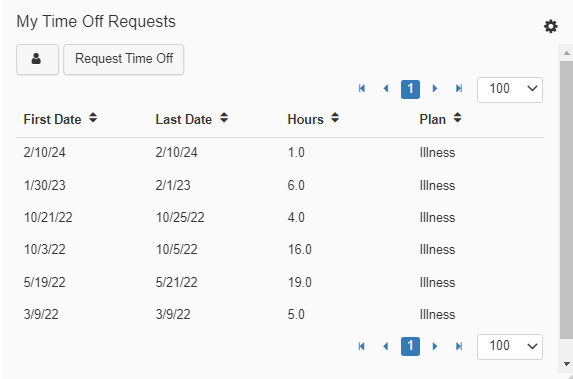
The My Time Off Requests Widget gives you quick access to your Pending Time Off Requests.
Navigating the Widget
-->Navigation Arrows
Click from page to page using the navigation arrows.Pagination Row Selector
Increase how many Time-Off Requests are listed by changing the number from '25, 50, 100, 250, 500, 750, 1000, or 100000' in the drop-down menu.Profile
The Profile icon will redirect you to your Profile, here you can then navigate to 'Time Card > Time Off' to view your Historical & Pending Time Off Requests.Request Time Off
This will redirect you to the Time Off Request screen, where you will then be able to submit a request.Settings

Access the settings to change the title or to adjust the attributes of the Widget.